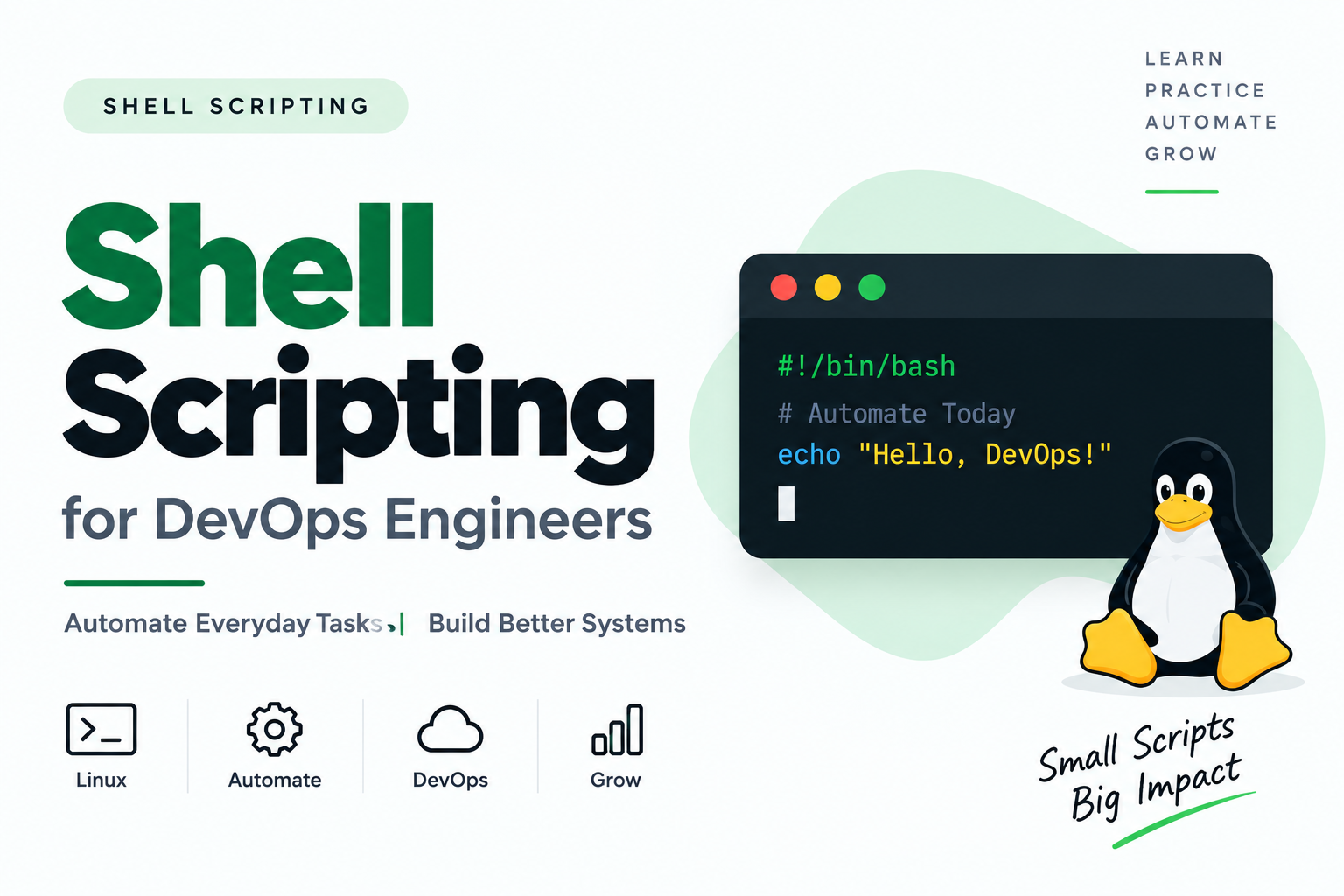
Shell Scripting for DevOps Engineers
Introduction
In DevOps, automation is one of the most important skills. As a DevOps engineer, we often perform repetitive tasks such as checking server health, managing files, analyzing logs, restarting services, deploying applications, and monitoring system resources.
Doing these tasks manually every time can be time-consuming and error-prone.
This is where Shell Scripting becomes useful.
we will learn Shell Scripting from the basics and gradually move toward real-time DevOps automation.
What is a Shell?
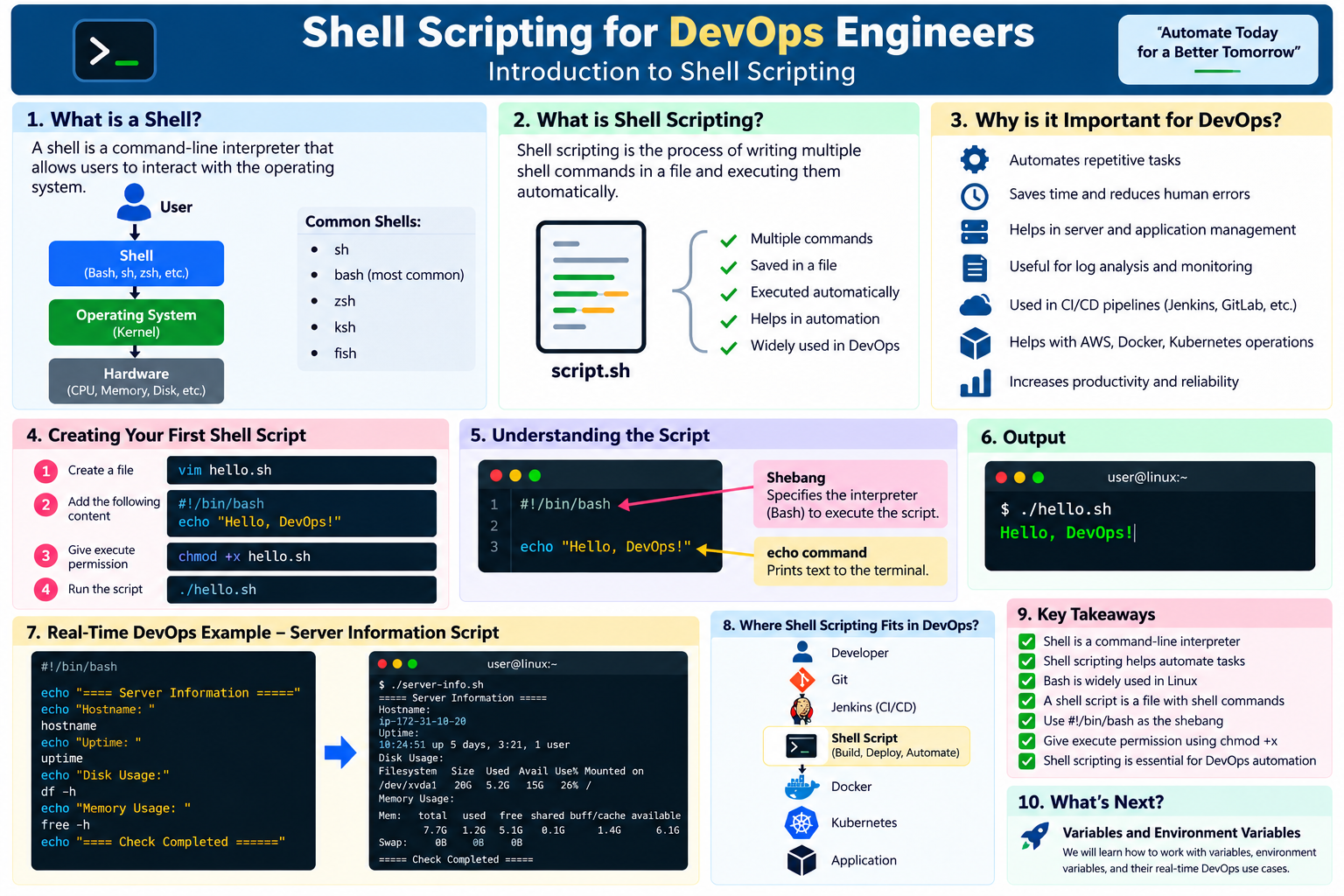
A Shell is a command-line interpreter that allows users to interact with the operating system.
For example, when we execute:
ls
the shell receives the command and communicates with the operating system to execute it.
A simple flow is:
User
  ↓
Shell
  ↓
Operating System / Kernel
  ↓
Hardware
Some commonly used shells are:
sh
bash
zsh
ksh
fish
Bash (Bourne Again Shell) is one of the most commonly used shells in Linux environments.
What is Shell Scripting?
Shell scripting is the process of writing multiple shell commands in a file and executing them as a script.
Instead of running commands manually one by one, we can put them into a script and execute them whenever required.
For example, instead of manually running:
hostname
uptime
df -h
free -h
we can create one script containing all these commands.
#!/bin/bash

hostname
uptime
df -h
free -h
Now one script can perform multiple operations.
This is the basic idea behind automation using Shell Scripting.
Why is Shell Scripting Important for DevOps?
Shell scripting is useful because DevOps engineers work extensively with Linux systems and automation.
Some common use cases are:
Checking CPU and memory usage
Checking disk space
Managing files and directories
Application health checks
Log analysis
Backup automation
Service management
Deployment automation
AWS CLI automation
Docker automation
Kubernetes automation
CI/CD pipeline automation
For example, a DevOps engineer can create a script that checks whether disk usage has crossed a particular threshold.
#!/bin/bash

df -h
Later, this script can be integrated with tools such as Jenkins or scheduled using cron.
What is a Shell Script?
A shell script is simply a text file containing shell commands.
Usually, we give the file a .sh extension.
For example:
backup.sh
deploy.sh
health-check.sh
cleanup.sh
The .sh extension is commonly used as a convention, although the operating system does not require it.
Creating Your First Shell Script
Let's create our first script.
Step 1: Create a file
vim hello.sh
Add the following:
#!/bin/bash

echo "Hello, DevOps!"
Save the file.
Understanding the Shebang
The first line is:
#!/bin/bash
This is called the shebang.
It tells the system which interpreter should be used to execute the script.
In this case:
#!/bin/bash
     ↓
Use Bash to execute this script
Understanding the echo Command
The second line is:
echo "Hello, DevOps!"
The echo command prints text to the terminal.
Output:
Hello, DevOps!
How to Execute a Shell Script
First, check the file:
ls -l hello.sh
You may see something similar to:
-rw-r--r-- 1 user user 40 Sep 22 hello.sh
The file does not currently have execute permission.
Give execute permission:
chmod +x hello.sh
Now execute it:
./hello.sh
Output:
Hello, DevOps!
Another Way to Execute the Script
We can also execute the script directly using Bash:
bash hello.sh
So we have two common methods:
./hello.sh
and:
bash hello.sh
The first method requires execute permission, while explicitly invoking Bash does not require the script itself to have execute permission.
Simple DevOps Example
Let's create a basic server information script.
#!/bin/bash

echo "===== Server Information ====="

echo "Hostname:"
hostname

echo "Uptime:"
uptime

echo "Disk Usage:"
df -h

echo "Memory Usage:"
free -h

echo "===== Check Completed ====="
Save it as:
server-info.sh
Give permission:
chmod +x server-info.sh
Run:
./server-info.sh
This is a simple example of how multiple Linux commands can be combined into a single automation script.
Shell Scripting in a DevOps Environment
Consider a real DevOps workflow.
A deployment process might involve:
Developer
    ↓
Git
    ↓
Jenkins
    ↓
Shell Script
    ↓
Build
    ↓
Docker
    ↓
Kubernetes
    ↓
Application
Shell scripts can be used inside CI/CD pipelines to perform tasks such as:
git pull
docker build
docker push
kubectl apply
For example, Jenkins can execute a shell script as one of its pipeline steps.
This is one reason Shell Scripting is an important skill for DevOps engineers.
Common Shell Script Commands
Here are some commands you will frequently see in Shell scripts:
| Command | Purpose |
|---|---|
echo |
Print output |
read |
Get user input |
cd |
Change directory |
pwd |
Show current directory |
ls |
List files |
cp |
Copy files |
mv |
Move/rename files |
rm |
Remove files |
mkdir |
Create directory |
cat |
Display file contents |
grep |
Search text |
sed |
Modify text |
awk |
Process text/data |
find |
Find files/directories |
We will cover these commands and scripting concepts in the upcoming articles.
Shell Scripting Best Practices
When writing production scripts, keep a few things in mind:
1. Use a proper shebang
#!/bin/bash
2. Use meaningful variable names
Instead of:
x="prod"
prefer:
environment="prod"
3. Add comments
# Check available disk space
df -h
4. Handle errors
As your scripts become more advanced, learn options such as:
set -e
set -u
set -o pipefail
We will discuss these in detail later in this series.
5. Test scripts before using them in production
Always test automation carefully, especially when the script contains commands such as:
rm
mv
systemctl
Key Takeaways
In this article, we learned:
What a Shell is
What Shell Scripting is
What Bash is
What a shell script looks like
What a shebang is
How to create a shell script
How to give execute permission
How to execute a script
Why Shell Scripting is useful for DevOps
How Shell scripts can be used in CI/CD
The image below provides a clear visual explanation of the concept.”